


Comment créer un condensé

Open your chat with Junction Bot and click on Menu.
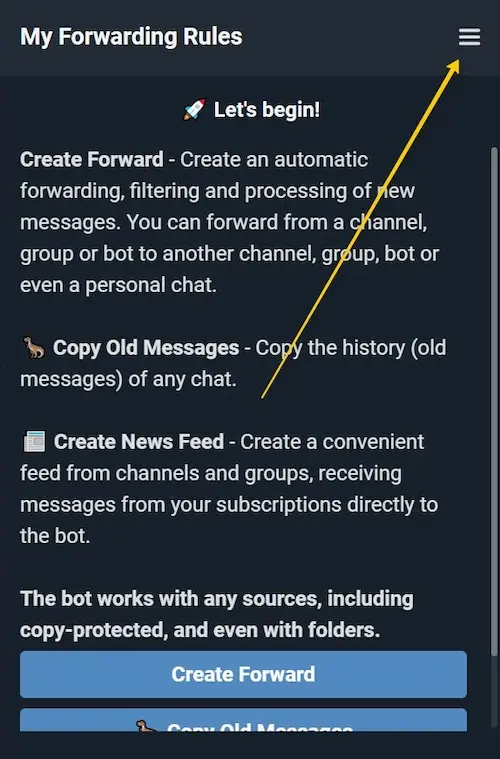
On the main page of the app, click on the side menu.
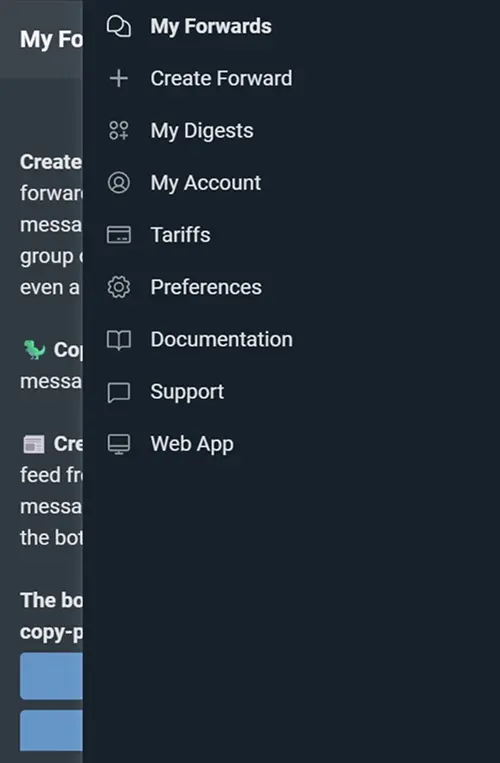
Select «My digests» from the side menu.

In the newly-opened window, select the digest sources. On Economy and Express bundles, just paste a link to a public channel or group.

On Direct and Expert bundles with a connected account, all source types are available, including private and restricted ones. Select a source from your chat list and click «Add».
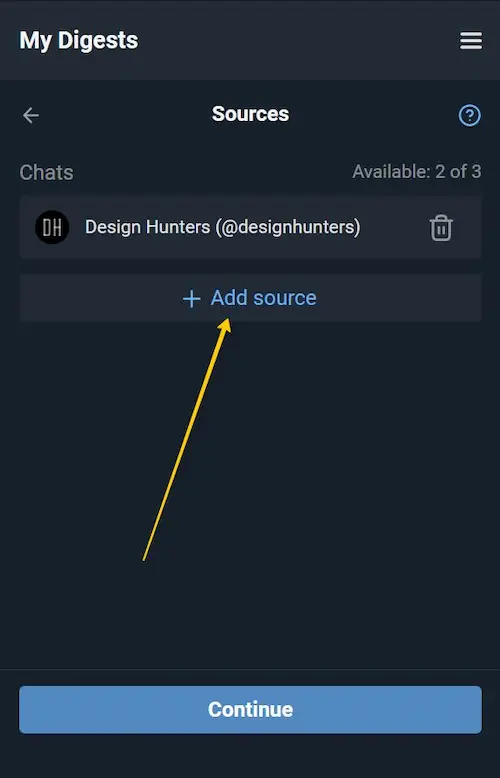
You can include additional channels or groups in the digest by clicking «Add source». In the free mode, up to 3 sources are available; this limit can be increased by upgrading to a paid bundle (see Pricing).
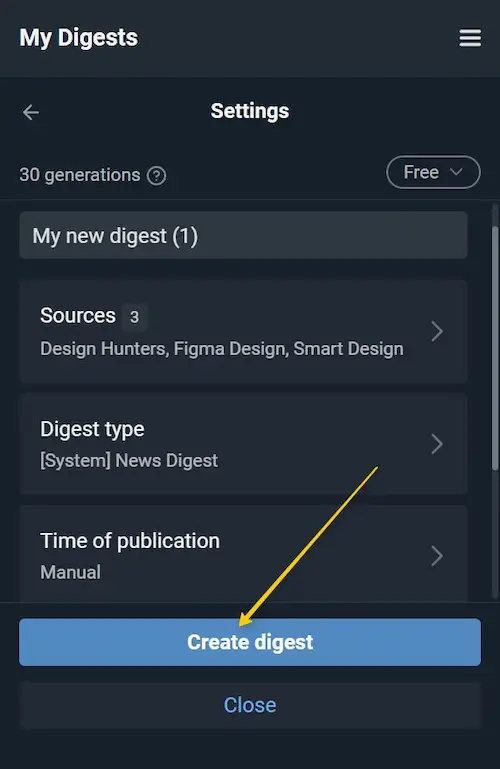
Done! Your digest is ready! The name and all other settings are set by default. Click «Create digest» to save it. Additional options are described below.
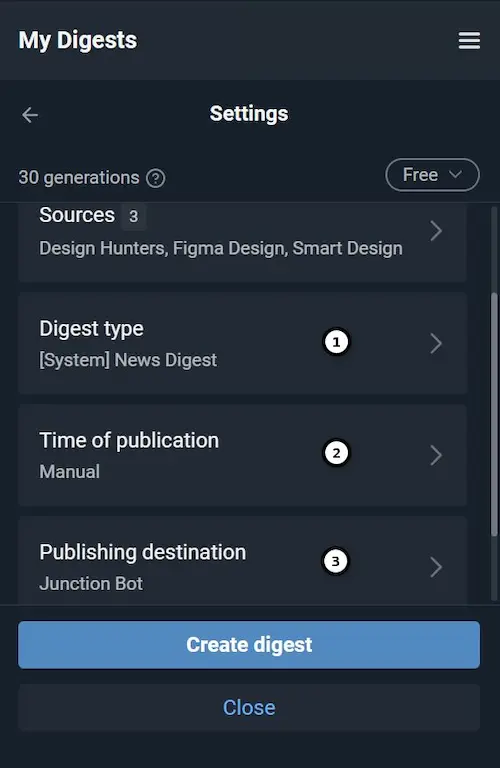
Next, we'll look at the Digest Type, Publication Time, and Publication Location settings sequentially.
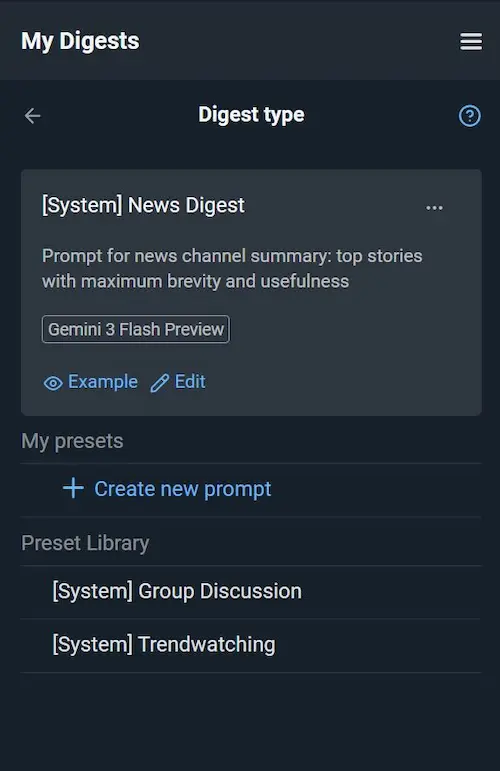
(1) Digest type determines how the AI formats and presents the information. You can keep the default preset (e. g., News Digest or Group Discussion) or create your own format. Click «Edit» to modify an existing template or «Create new prompt» to adjust the instruction text, AI model, or other settings (see detailed docs: Digest type).
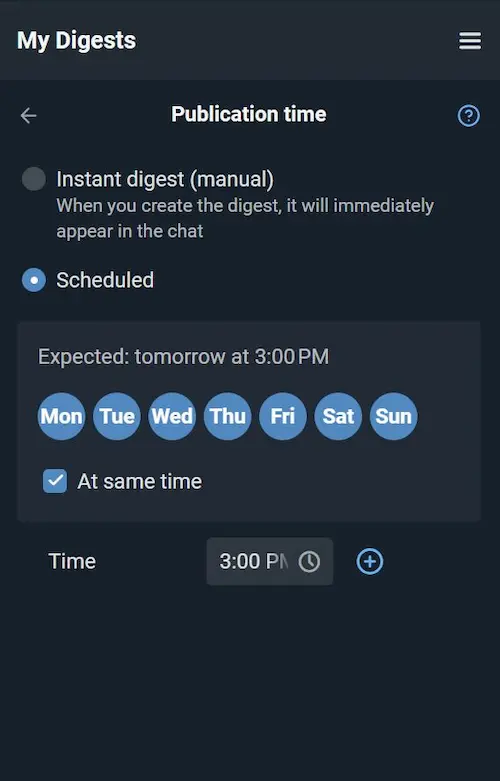
(2) Choose the delivery mode: «Scheduled» — the digest is generated automatically, or «Instant digest» — generated manually on demand. For scheduled digests, you can set the same time for all days or configure different times per day.

(3) By default, the digest is delivered to your personal chat with Junction Bot. Optionally, you can publish it to an external channel or group and choose the delivery mode — via Junction Bot or via your connected account. Select «Publication to Chat», choose destination from the list, then select «Publish as».
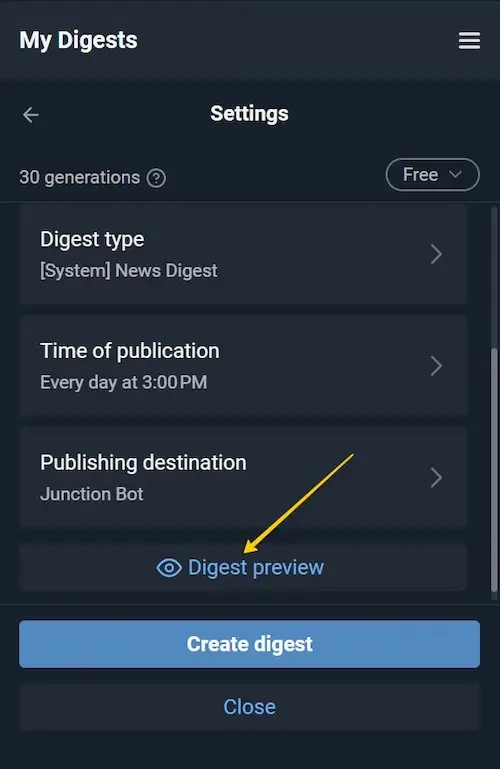
You can evaluate the result immediately by clicking «Preview». Select a period (e.g., «For a week») and click «Generate». Preview also consumes AI generations (see details below).
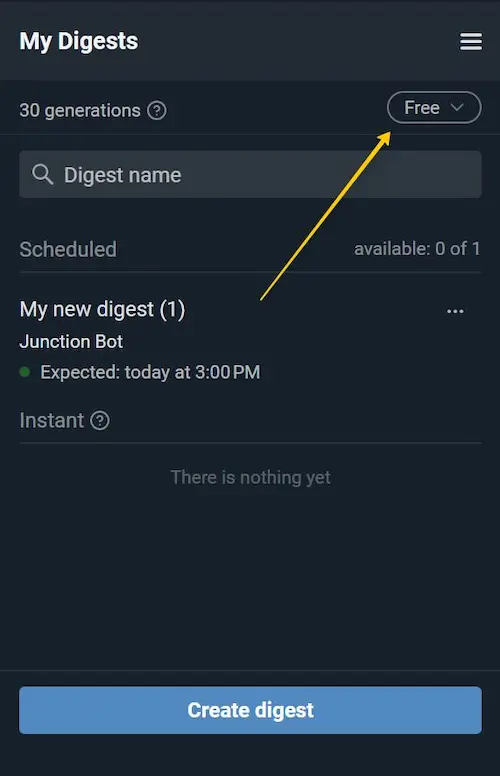
After saving, the digest will be added to «My digest» list. There are 3 payment modes for digest generation: Free, Pay from balance and Use your own API key.
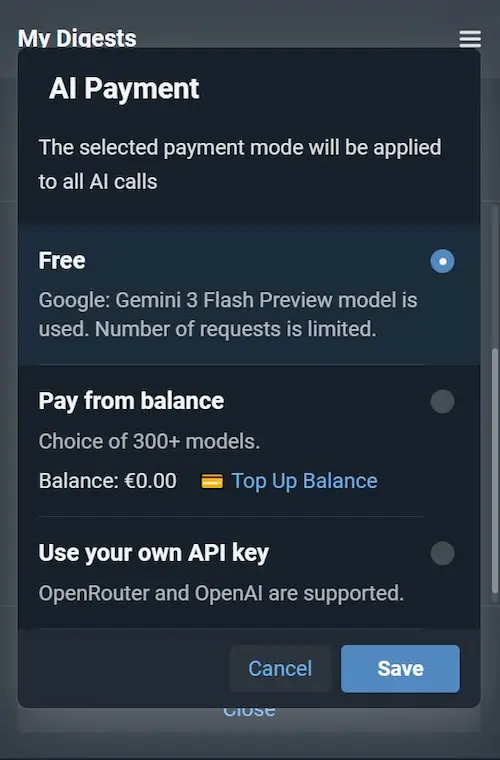
1. Free mode: 30 generations per month are available. By purchasing a package, the basic amount can be increased. This limit is updated monthly. In free mode, one default model is used for processing.
2. Payment from balance: Funds are deducted from your internal balance in the bot. The number of generations is limited only by the available balance.
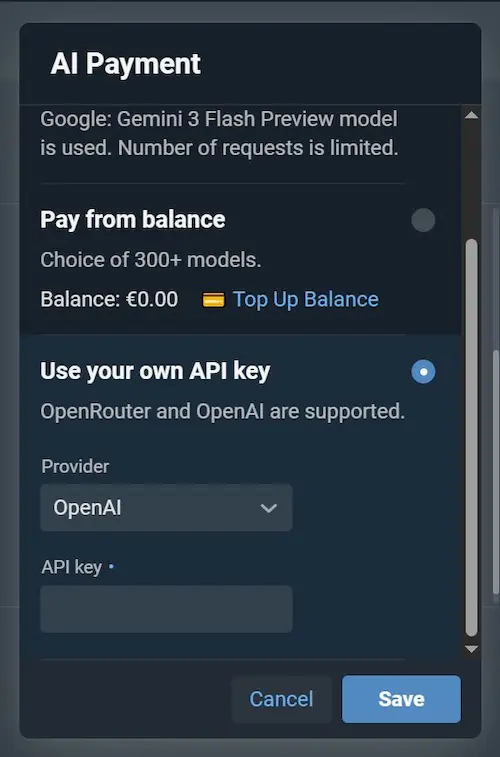
3. Use your OpenRouter (or OpenAI) API key to pay for the generation directly to the provider. Payments in this case are processed directly through your provider; Junction Bot does not charge a processing fee. Generation limits must be checked with your provider.
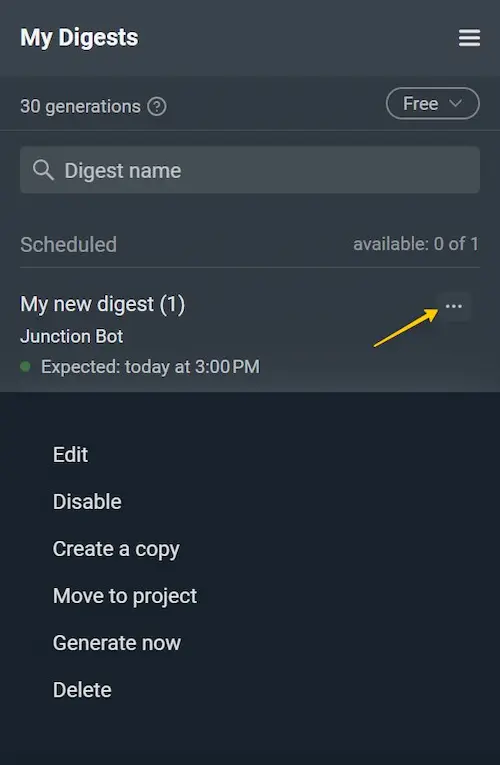
In the digest list, you can click on (...) to open a list of useful actions with a digest:
- Enable or pause generation using «Disable»,
- Duplicate the digest while keeping its settings,
- Generate now,
- Move to project (to keep your digests organized).