

Our users often ask: How can I filter posts containing third-party links from my feed/channel?
If your goal is not to delete entire posts, but only to remove or replace links in them, read this article.
Let's look at an example. Let's say you're forwarding from Channel A to Channel B. You want to prevent posts from Channel A that contain at least one link from being forwarded.
This can be done in two ways:
Method 1: Remove all posts containing links
This problem can be solved by creating filters using a regular expression. These filters will check for any clickable links (<a> tags and links beginning with http and https).
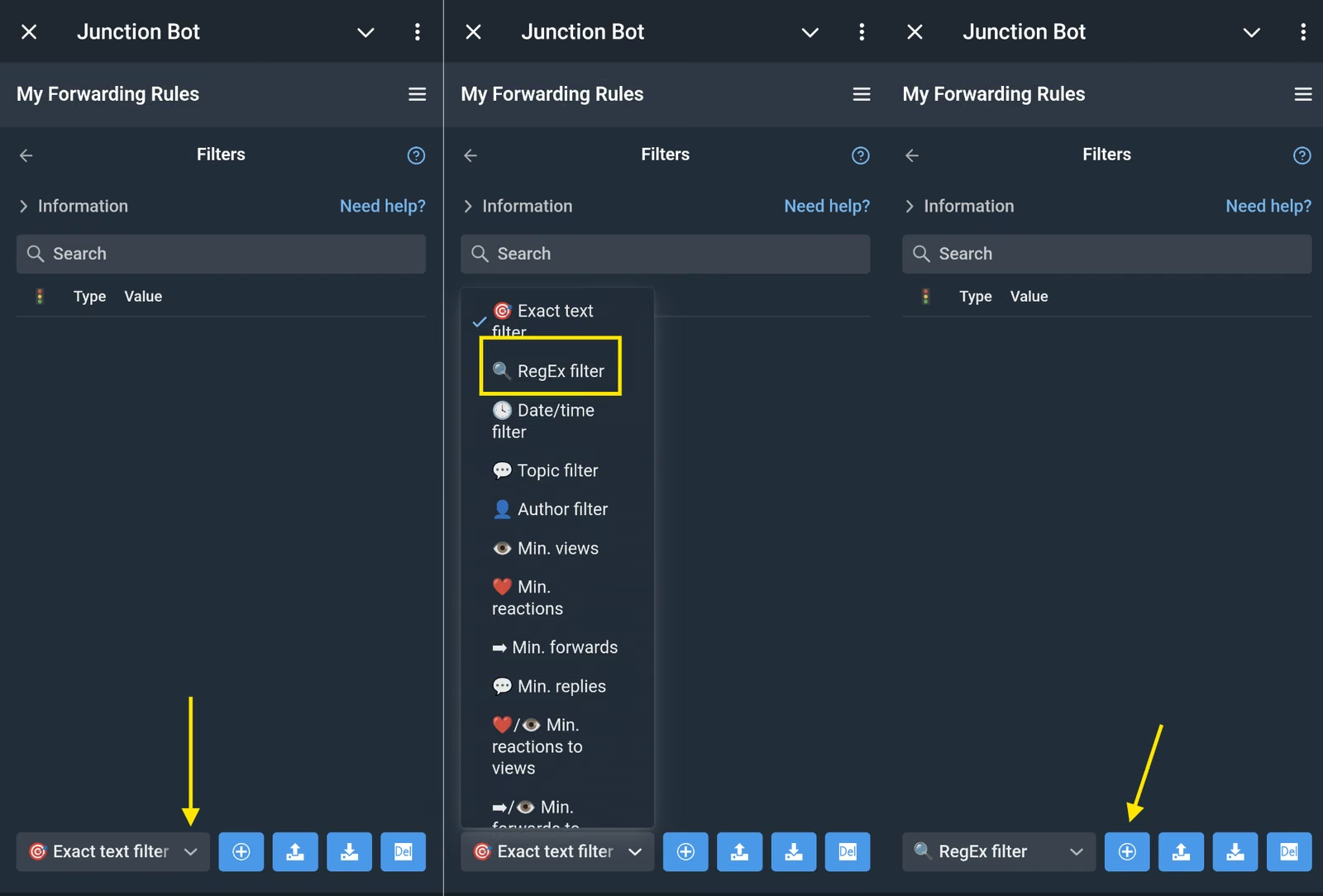
- Open the forwarding you want to apply filtering to;
- In the list of settings, find "Filters";
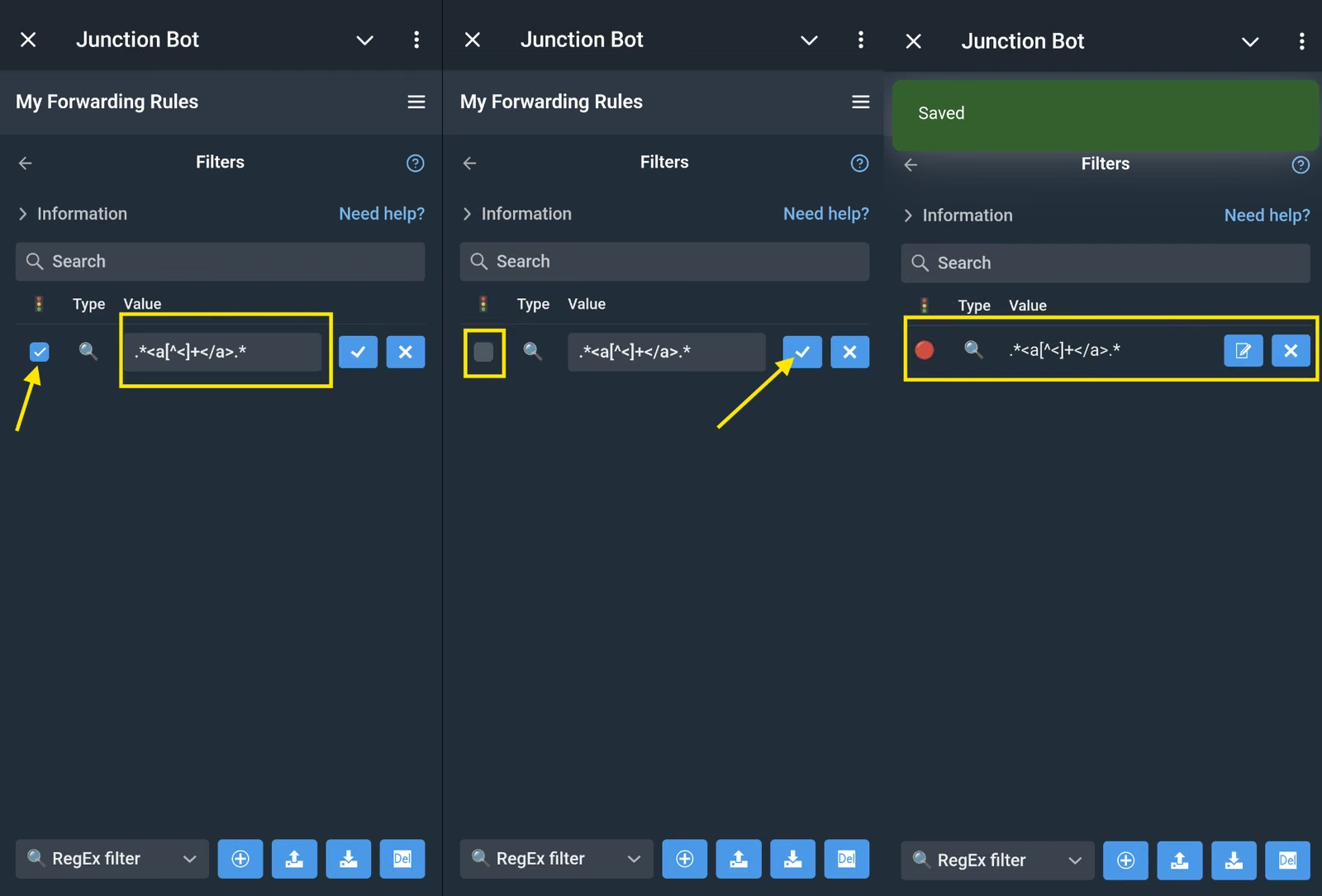
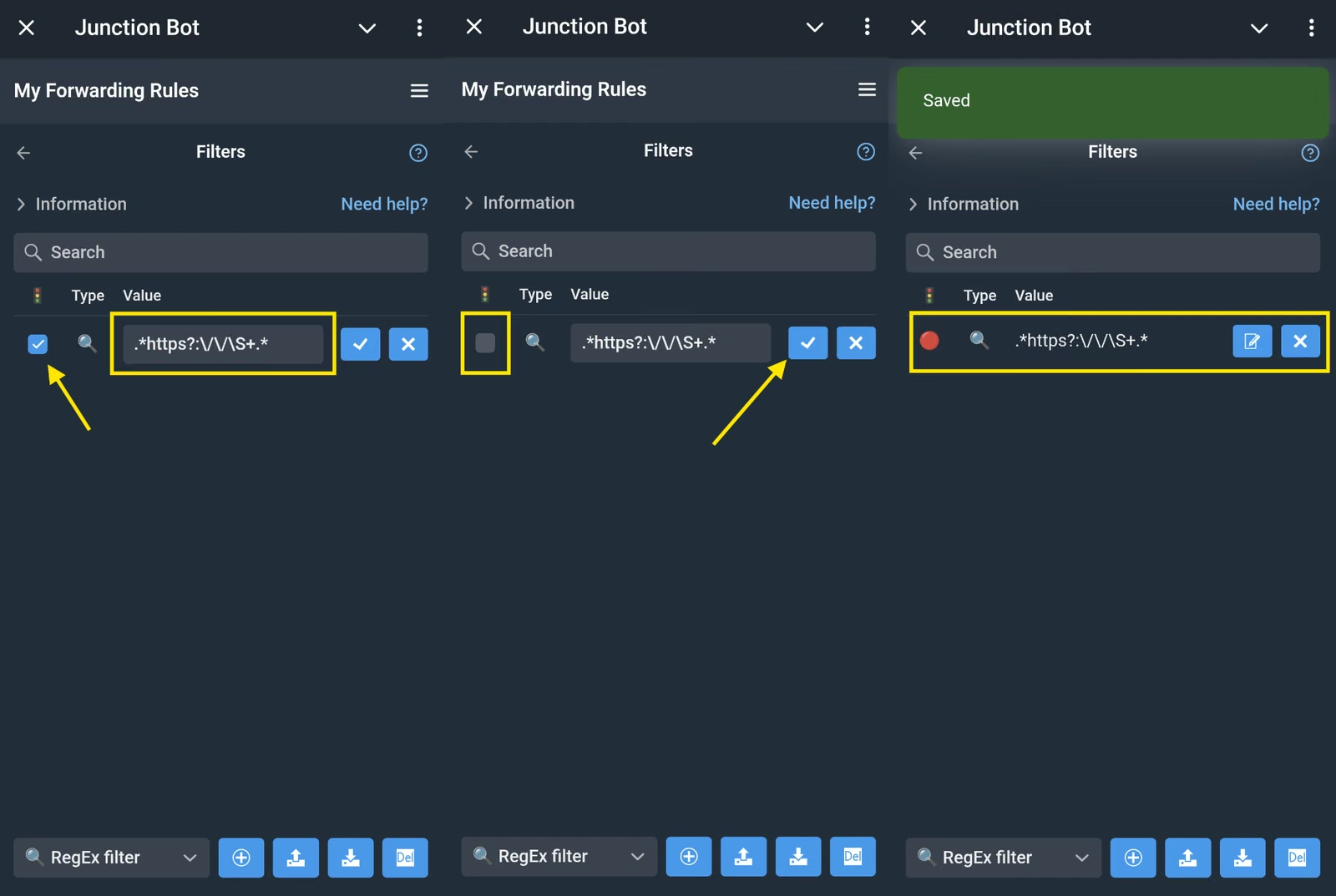
- Create 2 filters :
- Filter type: 🔍 Regular expression
- Value (copy and paste): .*<a[^<]+</a>.*
- Uncheck the box to the left of the magnifying glass icon
- Filter type: 🔍 Regular expression
- Value (copy and paste): .*https?:\/\/\S+.*
- Uncheck the box to the left of the magnifying glass icon
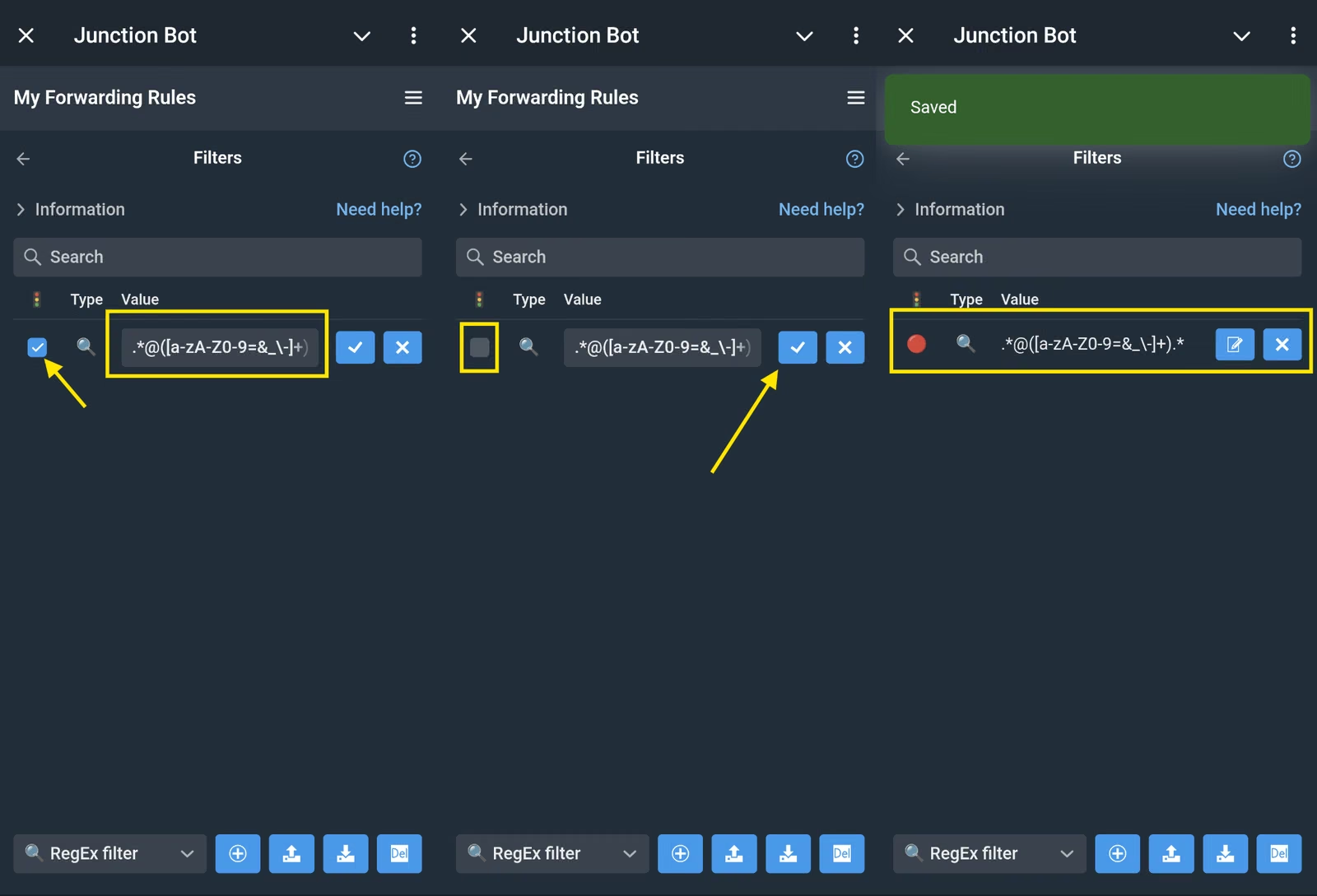
For @username (not added by the bot):
- Filter type: 🔍 Regular expression
- Value (copy and paste):
.*@([a-zA-Z0-9=&_\-]+).* - Uncheck the box to the left of the magnifying glass icon
Method 2: Remove posts with a specific link
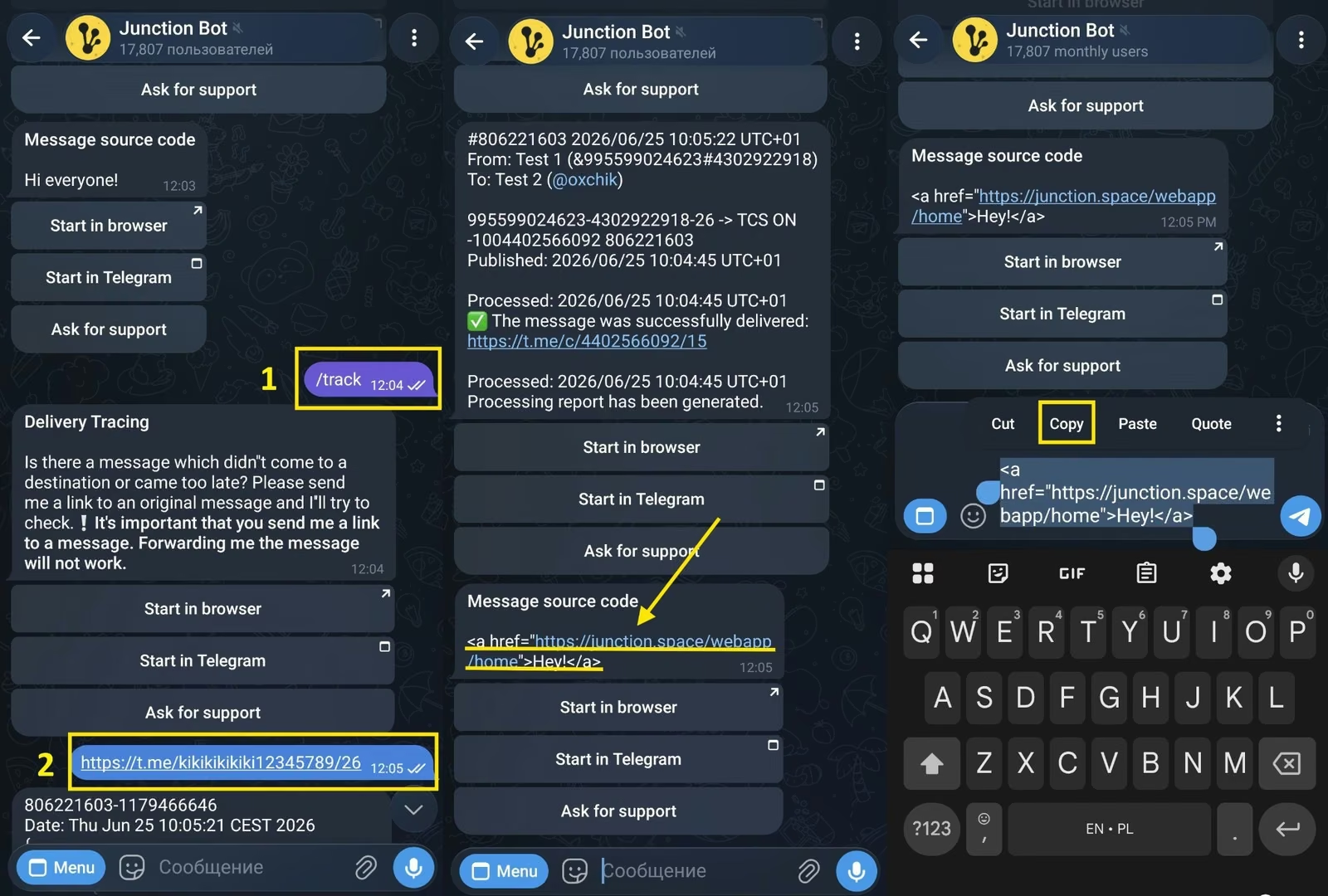
First, enable processing report generation. Then, you need to see how this link appears to the bot.
- In a chat with @junction_bot , send the /track command and a link to the original message.
- Open The source code of the message sent by the bot. This is text containing special HTML markup characters responsible for message formatting.
- Find the fragment with the link (for example <a href=...>) and copy it.
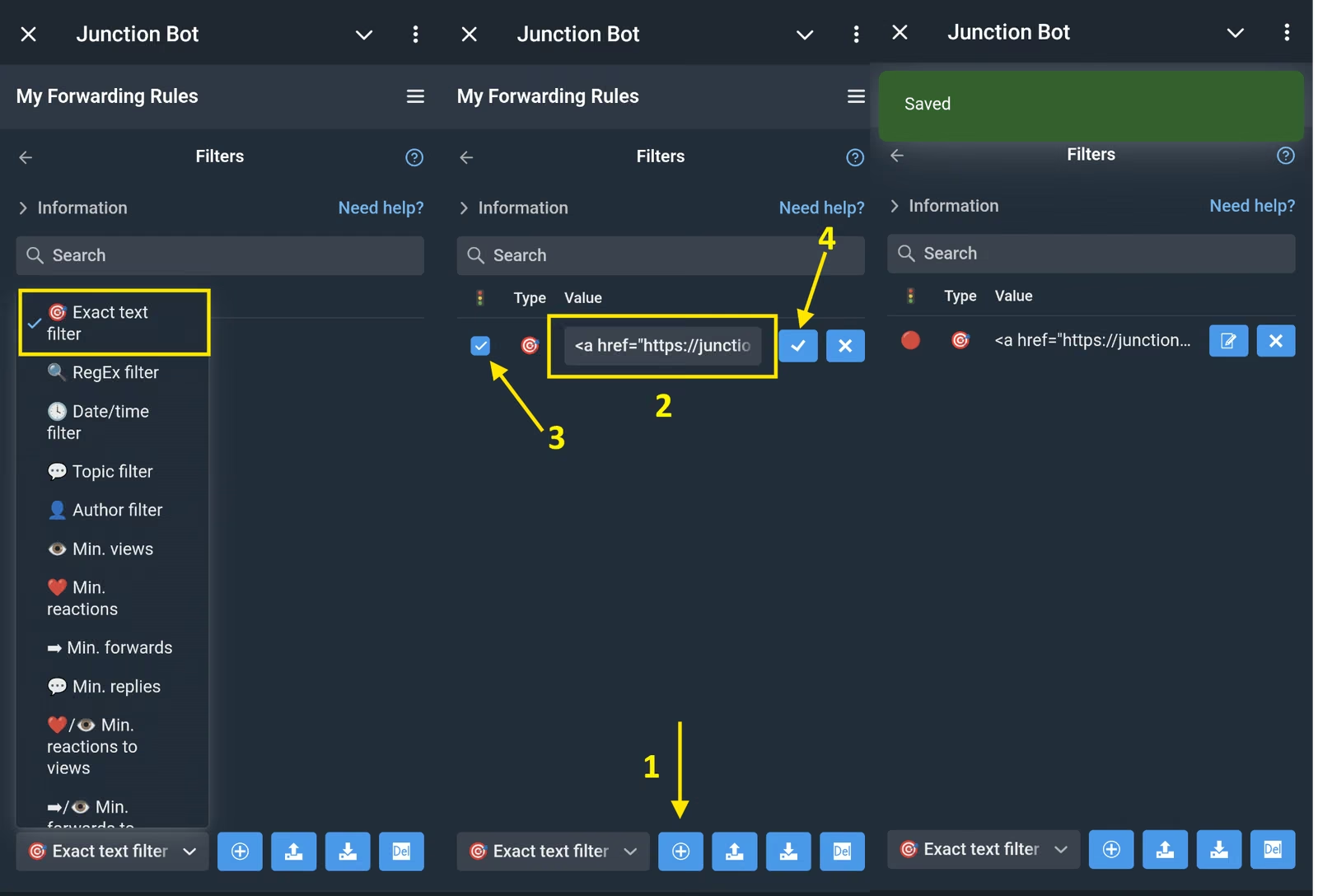
- Go to Forwarding Settings > Filters
- Create a new filter 🎯 By text match and paste the copied fragment with the link.
- Uncheck the box to the left of the magnifying glass icon and save.
An example of a regular text filter: <a href="https://www.junctionbot.io">Best bot</a>
Done! Now posts containing the link <a href="https://www.junctionbot.io">Best Bot</a> will not be sent to the channel at all.
As a reminder, if your goal is not to delete posts entirely, but only to remove or replace links in them, read this article.