


There are 3 ways to replace links, depending on your task:
- Method 1 - Replace all links to the donor channel with links to your channel Expert
- Method 2 - Replace all links with one specific one
- Method 3 - Replace a specific link with another
Method 1. Automatic replacement of all links
Expert bundle
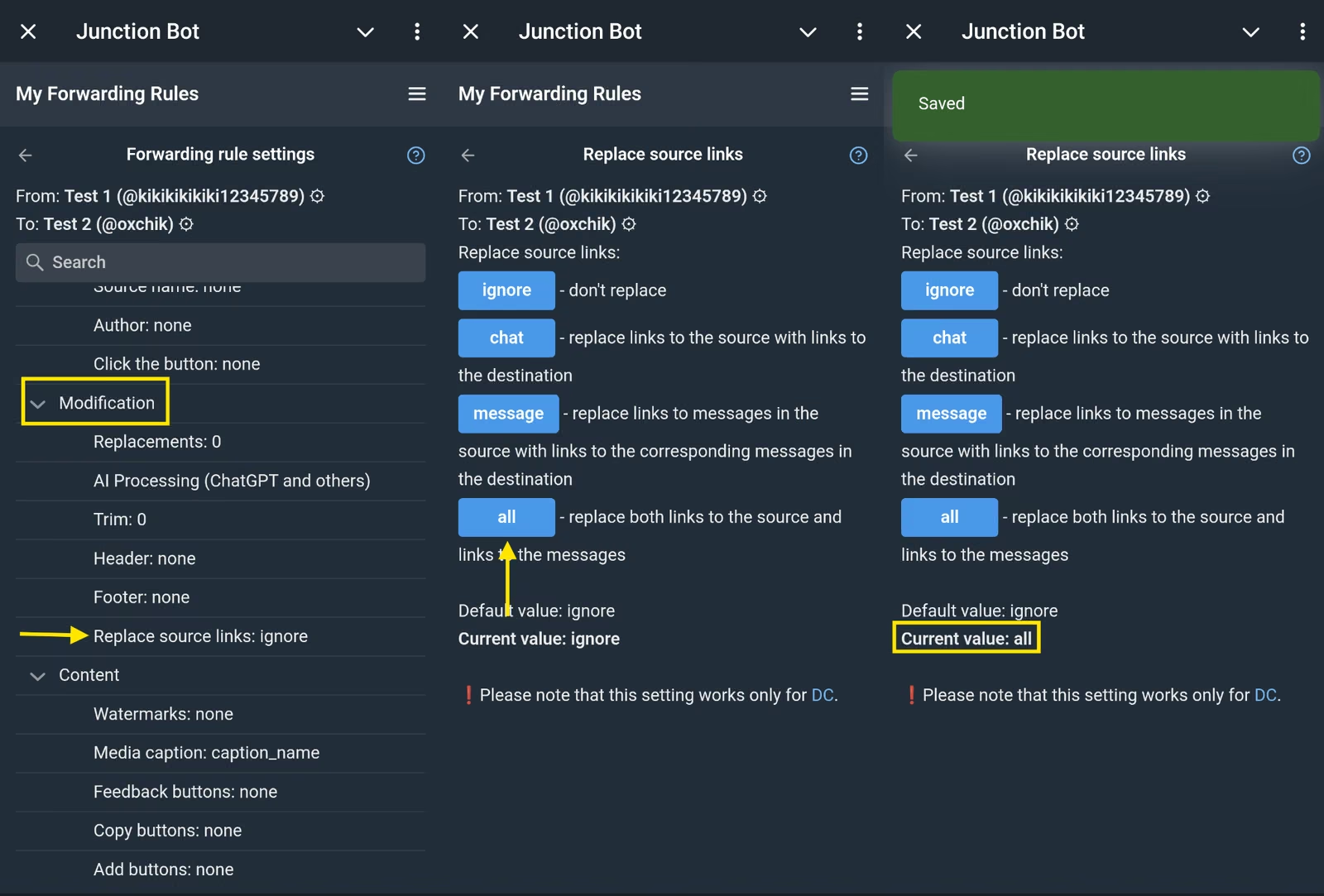
→ Use the “Replace links to source" setting - the "Replace everything (both links to the source and links to messages)" option
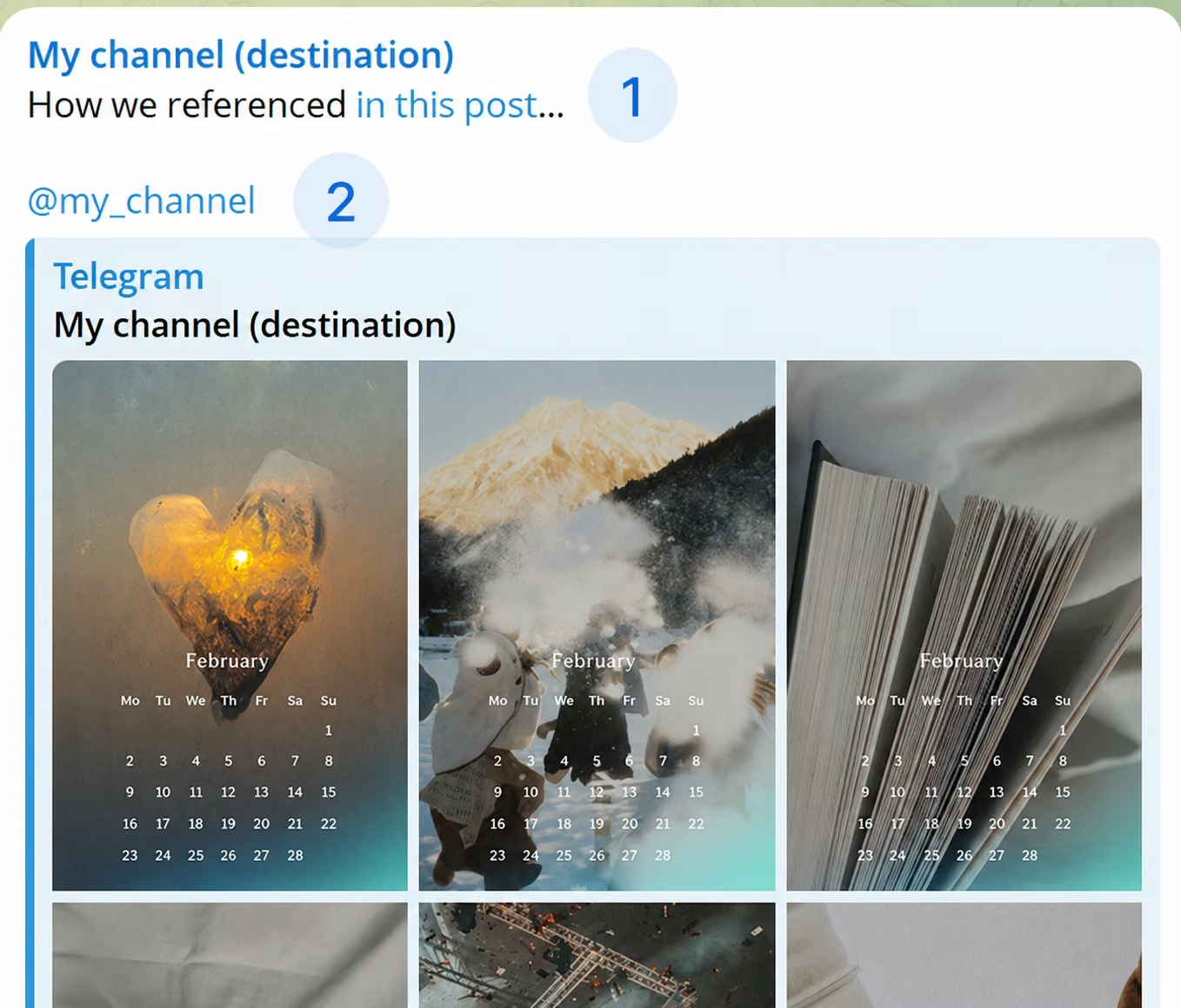
This setting automatically replaces any cross-links in posts and does not require manual configuration. A cross-link is a link within a chat to another message from that chat (1) or to the chat itself (2). Replacing cross-links allows you to link not to the messages in the source channel, but to your chat.
Method 2. Manually replacing all links
→ Use replacements with regular expressions. For example, if the original message has a clickable link to the source at the bottom, you can only change it through replacement.
- Open the forward in which you want to replace the links.
- Find "Replacements" in the list of settings.
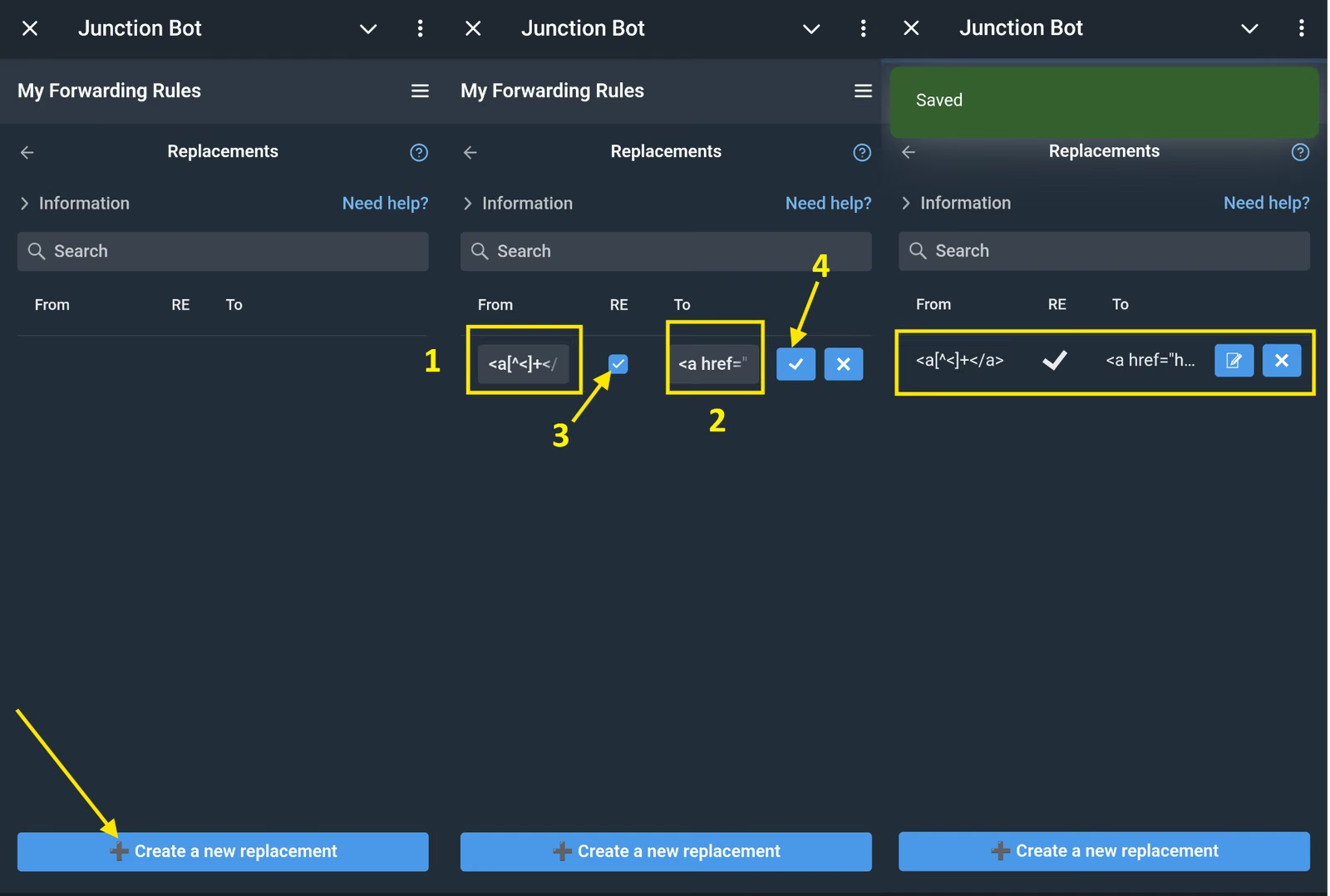
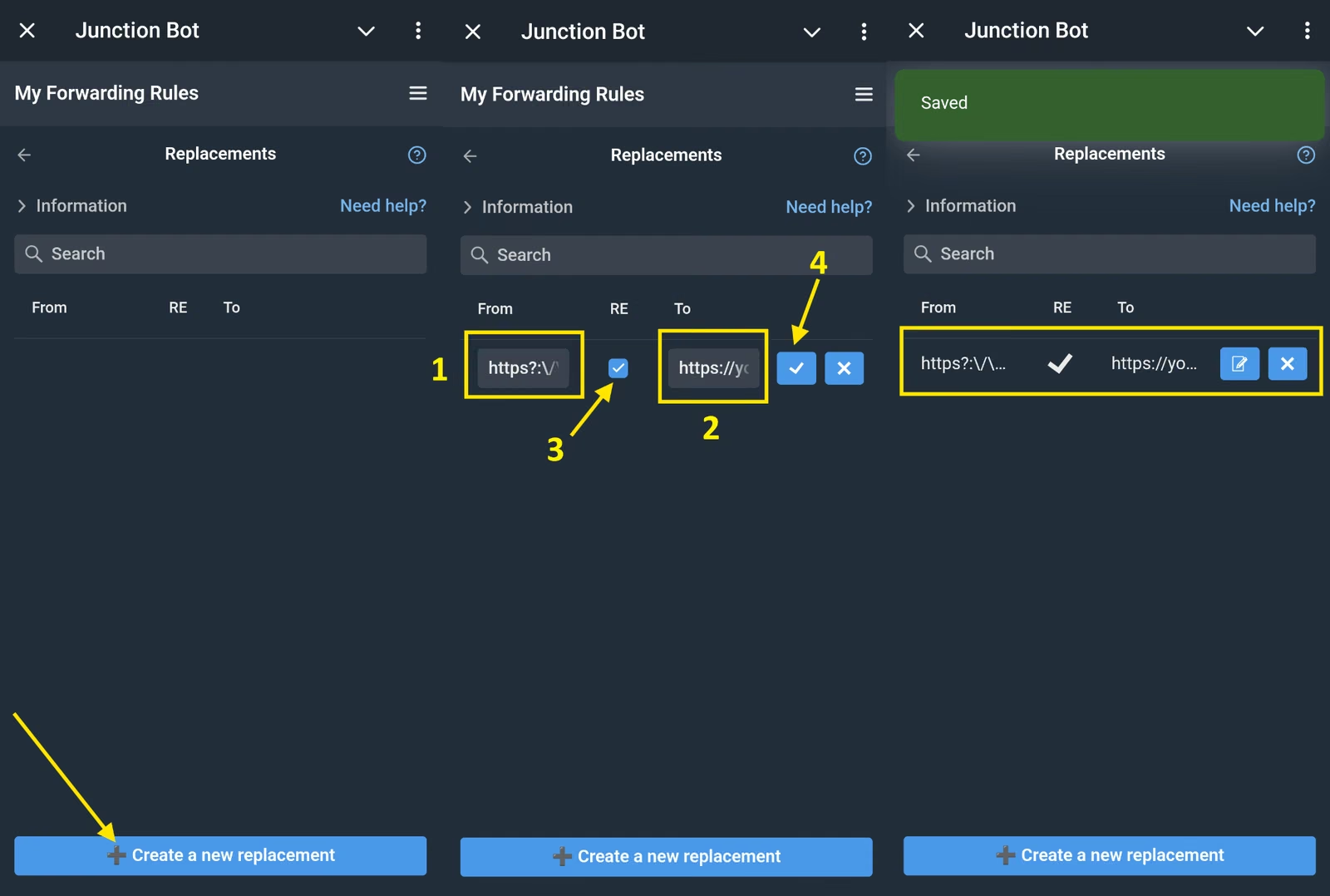
- Create 2 replacements:
- Source: <a[^<]+</a>
- RE (Regular Expression): ☑️ Yes
- New value: insert your link, for example: <a href="https://your_link">desired text</a>
- Source: https?:\/\/\S+
- RE: ☑️ Yes
- New value: Insert your link https://your_link
Replacing channel mentions via @username:
- Source: @([a-zA-Z0-9=&_\-]+)
- RE: ☑️ Yes
- New value: your @username
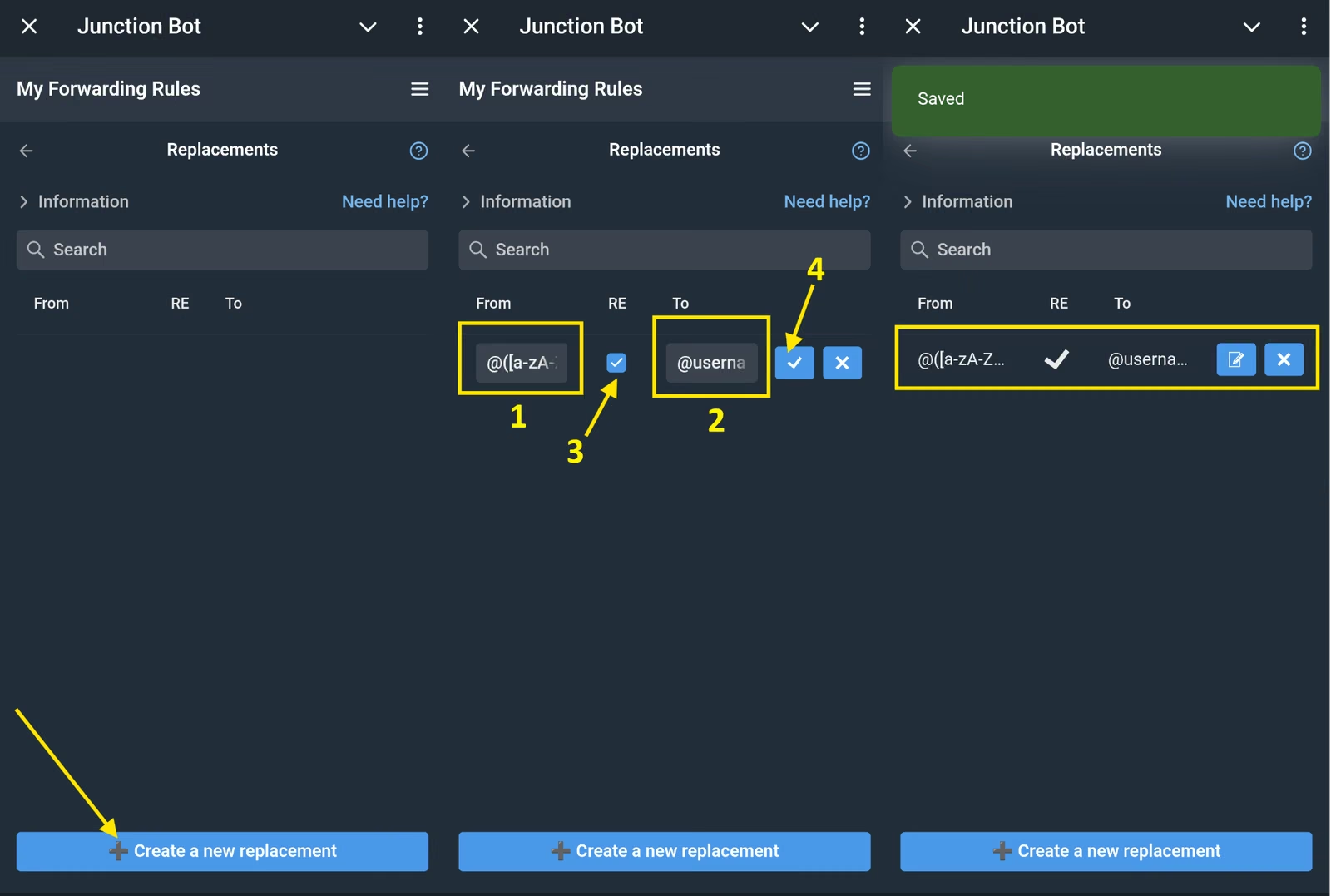
Method 3. Replacing one specific link
If you need to process not all links, but only one specific link or signature, you first need to determine how exactly it looks to the bot.
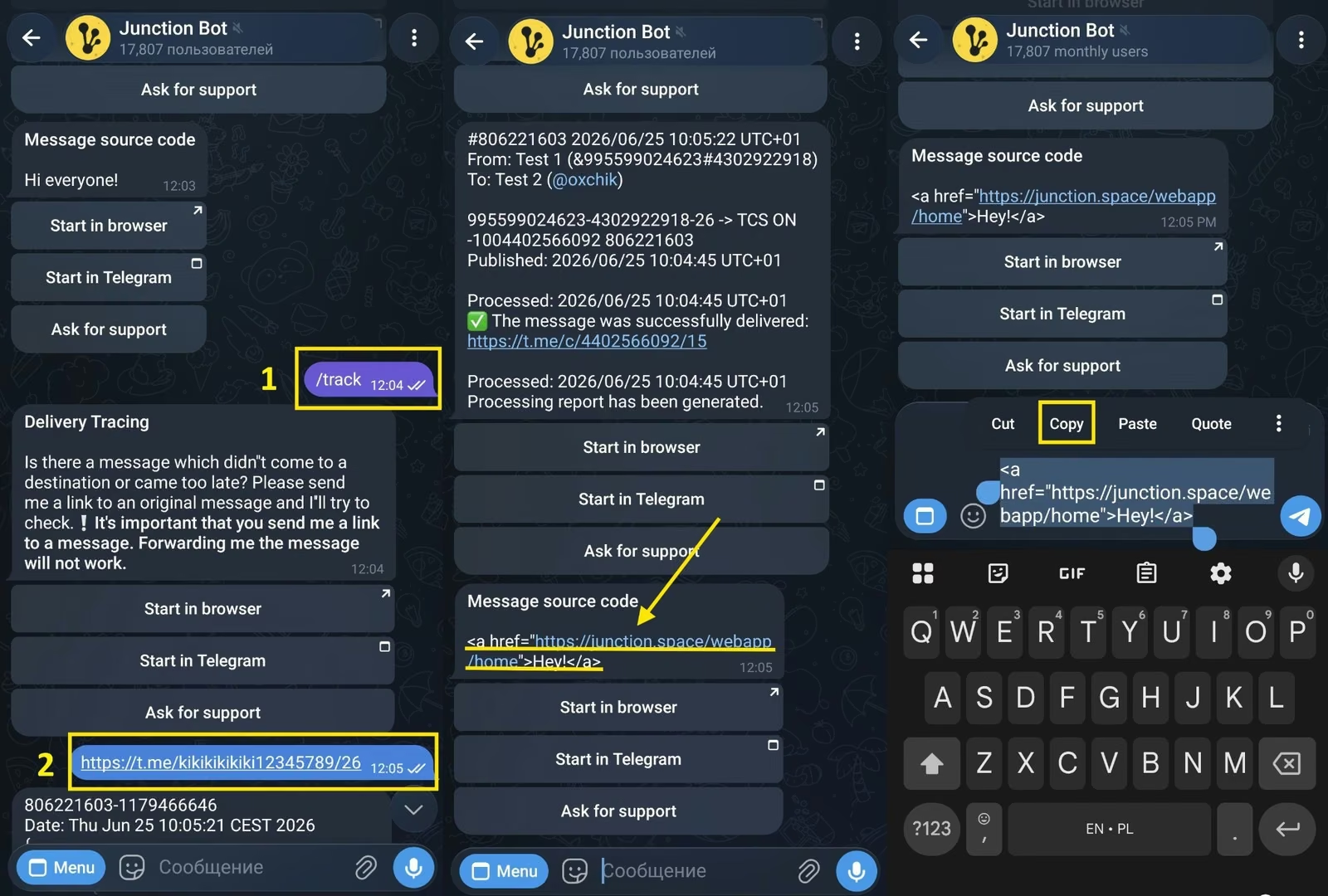
Step 1. Look source code message
Write the command /track in the @junction_bot chat; then link to the original message with the unwanted link.
Step 2. Copy the desired fragment
Example of an embedded HTML link: <a href="https://www.junctionbot.io">Best bot</a>
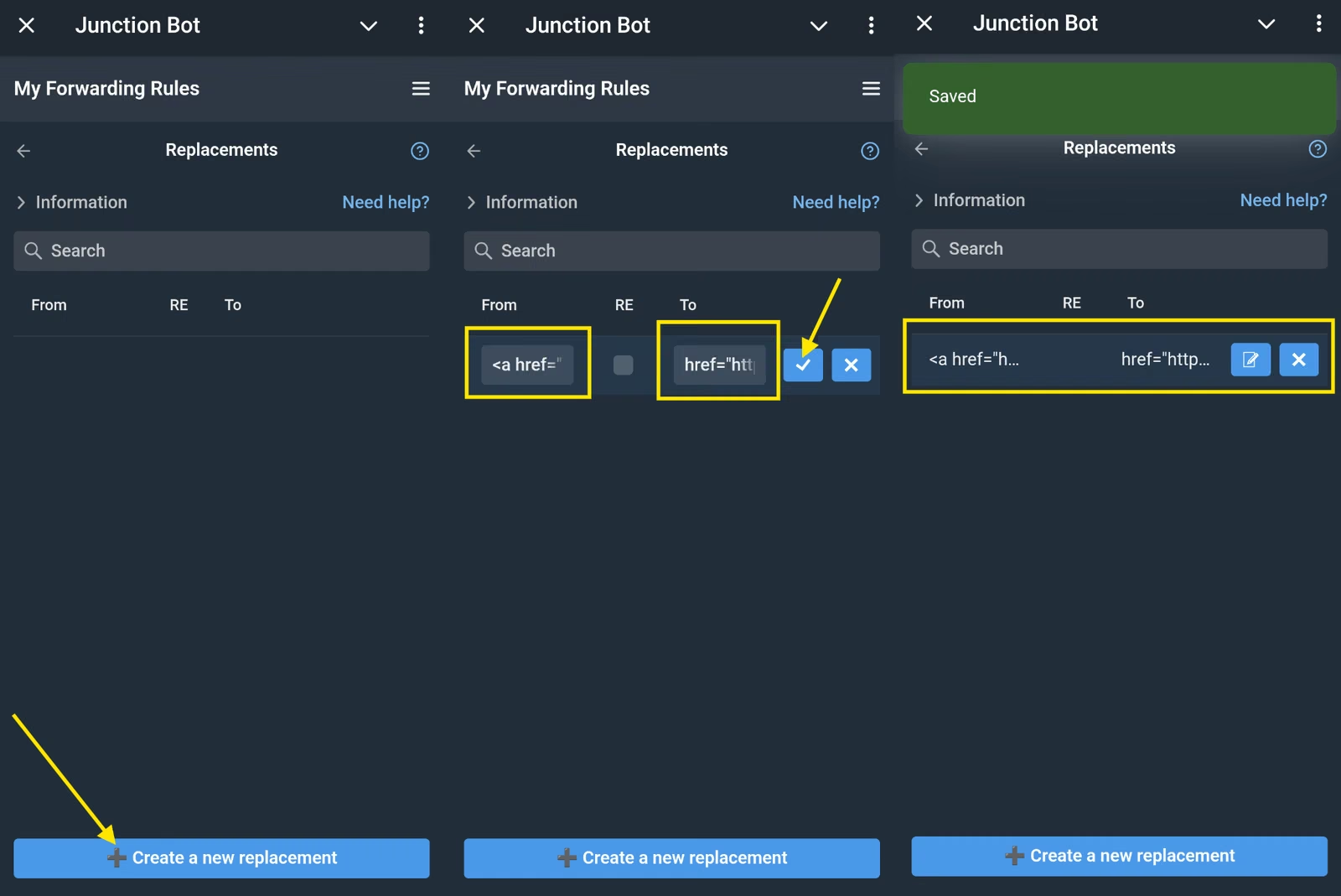
Step 3. Use this fragment in a replacement rule
Specify new text or a new link.
Example:
Source: <a href="https://www.junctionbot.io">Best Web bot</a>
RE (Regular Expression): no
New value: <a href="https://t.me/junction_bot?start=_tgr_0SteatVkZjQy">Best Telegram bot</a>
Let us remind you that if you want everything posts containing links should be filtered, not replaced, read this article.