




How to remove ads from forwarding (AI)
AI integration

Open your chat with Junction Bot and click on Menu.
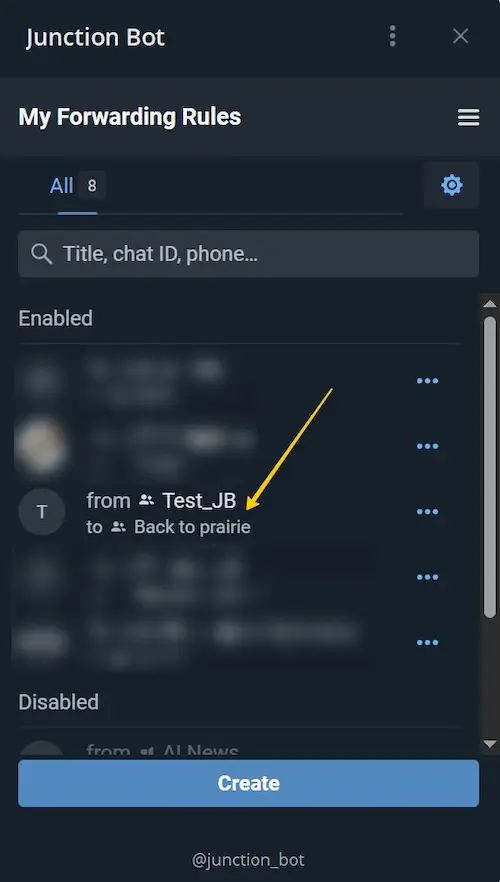
Choose one of the forwards in the list of your Forwarding rules.
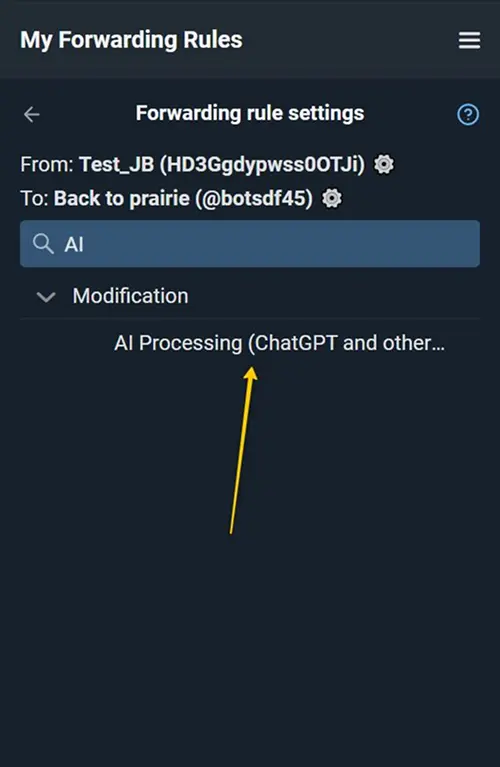
To remove ads, we recommend using a combination of AI for message processing and filtering. First, find the “AI Processing” section in the settings.

Select the prompt “Ad Check” from the Library.
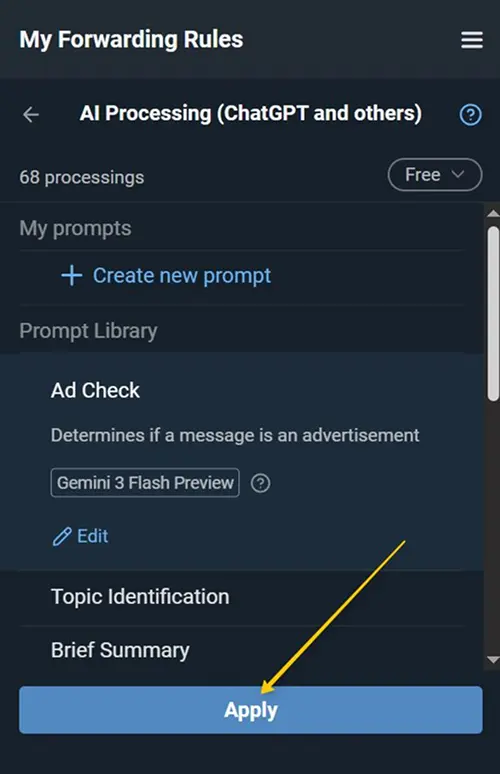
Apply the selected prompt.
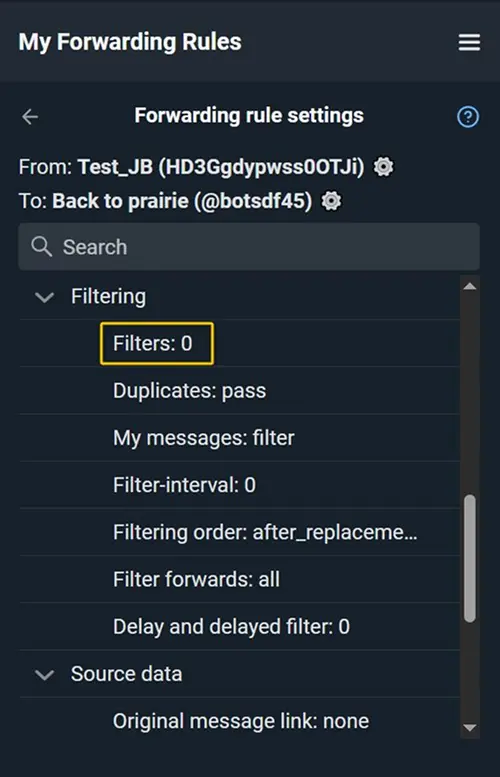
Open the “Filters” section in the settings.

Add a blocking Exact text match filter for the word AD specified in the prompt.
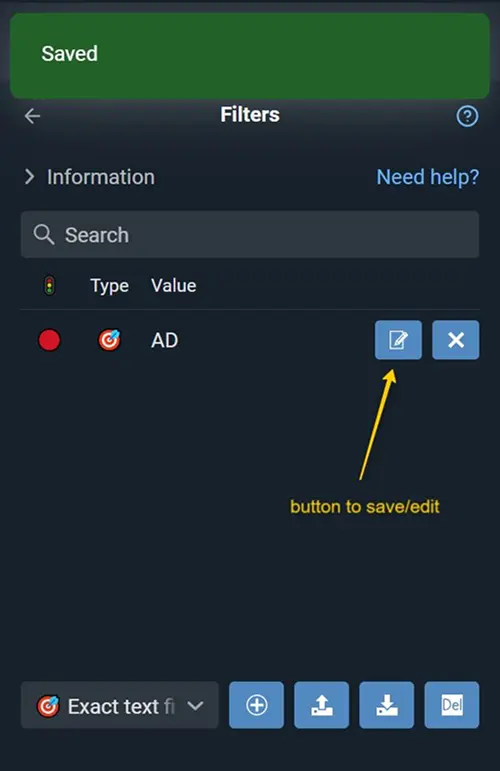
Save the filter.
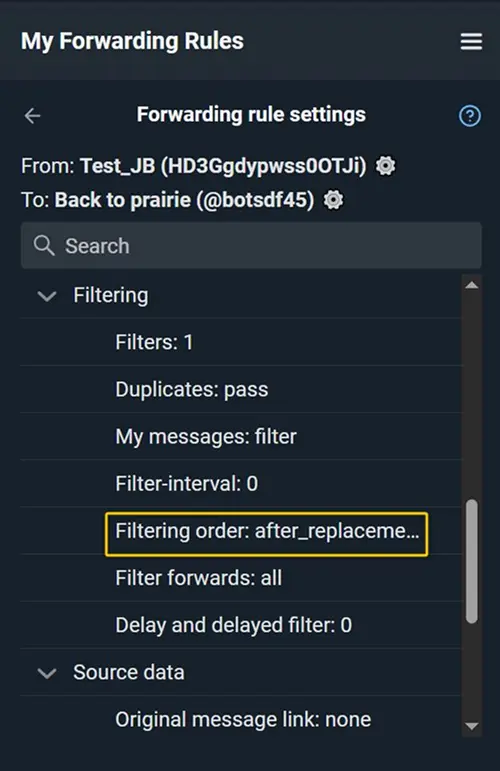
Find the “Filtering Order” setting.
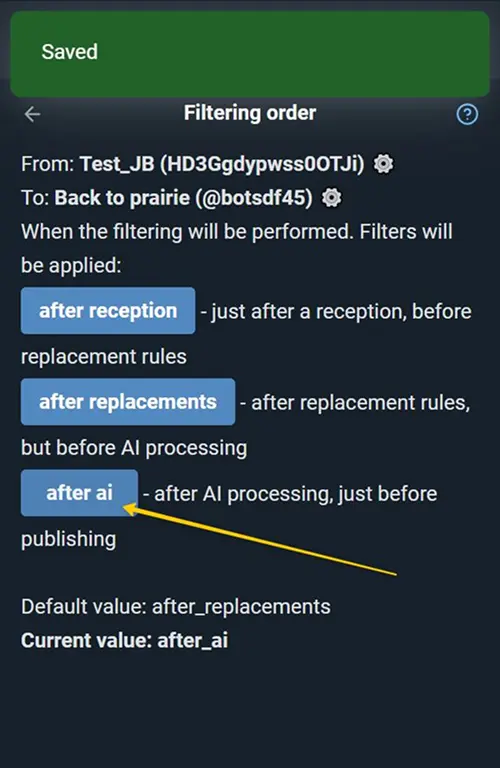
Set the value to: after_ai. Thus, after AI processing the message will be checked for the word AD. If a match is found, the message will be automatically filtered out and won’t be forwarded to the destination.
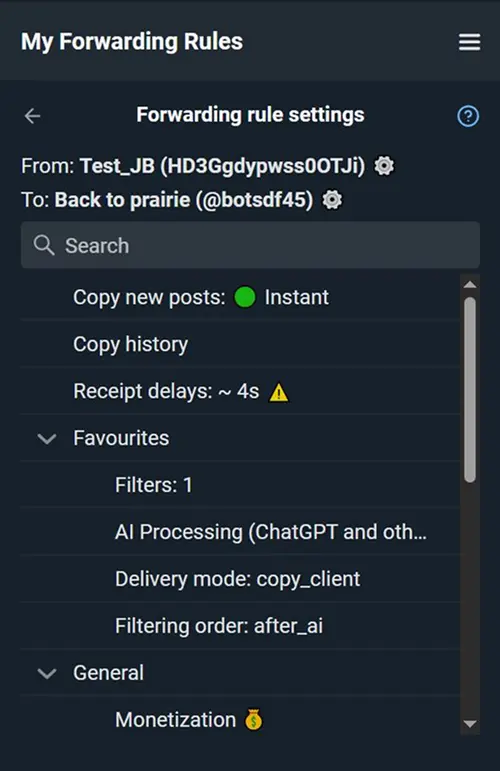
Make sure the delivery mode is set to: copy_client or copy_bot. This is required so the bot can modify the message text. Done! Smart AI-based ad filtering is now configured.